


.png)



Pesobet Login and Registration in the Philippines

Pesobet offer an online Sportsbook and Casino for customers in the Philippines to join. In this guide, we’re going to show you how you can complete your Pesobet registration and login on both desktop and mobile devices.

Login to your Pesobet account in the Philippines
Logging into your Pesobet account is easy. Once you’ve arrived on the betting site’s homepage, you’ll find the Login icon in the top right corner. Hit this button to open up the login screen. Enter your username and password in the boxes provided and click Login. You can also login using your Google account.
Note that if you’ve chosen to save your login credentials to your desktop or mobile device, these will automatically be entered for you – simply click the Login icon to enter the site. However, we don’t recommend you save your details if you’re using a shared device.
To login to your account in the Philippines, follow the steps below.
- Head to the Pesobet site and click the Login icon in the top right of your screen
- Enter your username and password
- Hit Login
How to log in on the Pesobet mobile app?
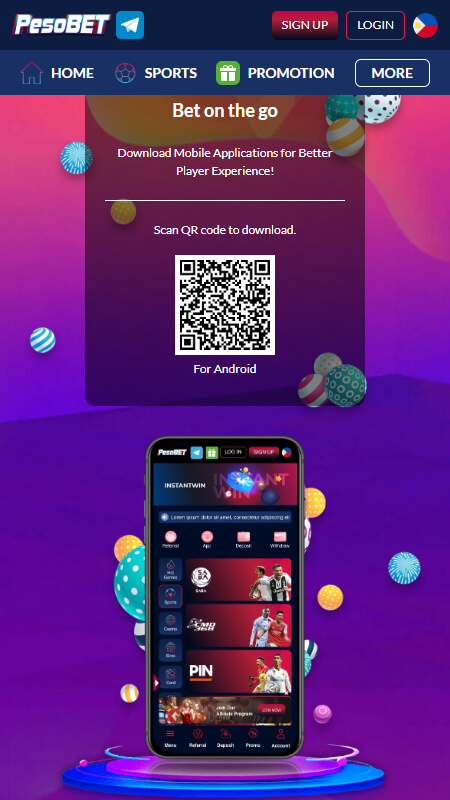
Pesobet do offer a dedicated betting app, but currently it’s only available for Android devices 6.0 or higher. To download the app, scan the QR code on the desktop site or click on the App icon on the mobile version of the site. If you have an iOS device, you can still access the betting site using your mobile browser.
The steps below detail how customers in the Philippines can login to the Pesobet mobile app. The steps are similar if you’re using your Android or IOS mobile browser.
- Open the app and click on Login at the top of the page
- Enter your username and your password
- Hit the Login icon
Registration on Pesobet in the Philippines
Registering an account at Pesobet is a simple process. It should only take a few minutes before you’re up and running. Once you’ve submitted your form, you’ll receive confirmation of your Login details.
To sign up to Pesobet, follow the steps below.
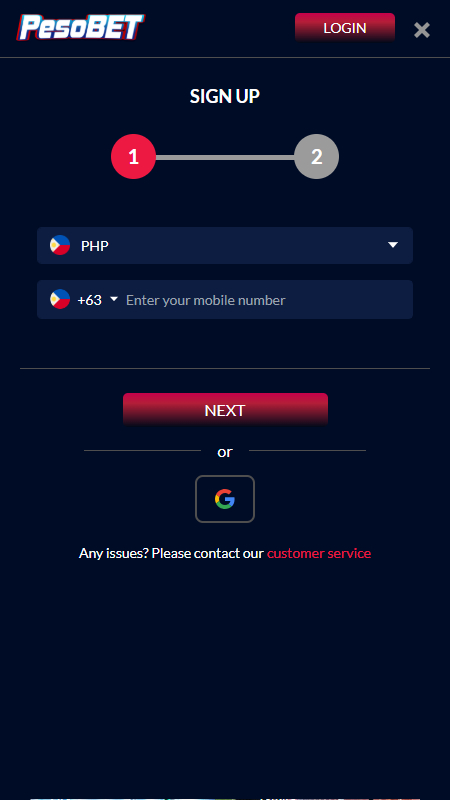
- Head over to the Pesobet site and click on Sign Up in the top right corner
- The Philippines is already pre-selected as your country of residence. In the second box, enter your mobile phone number. Then, hit Next
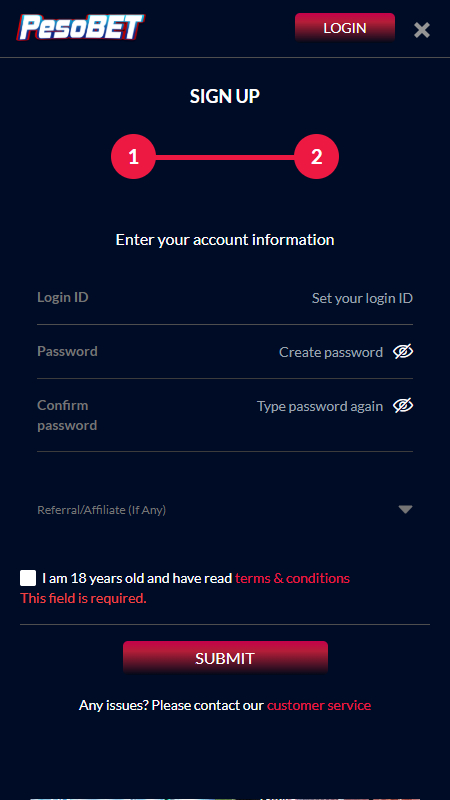
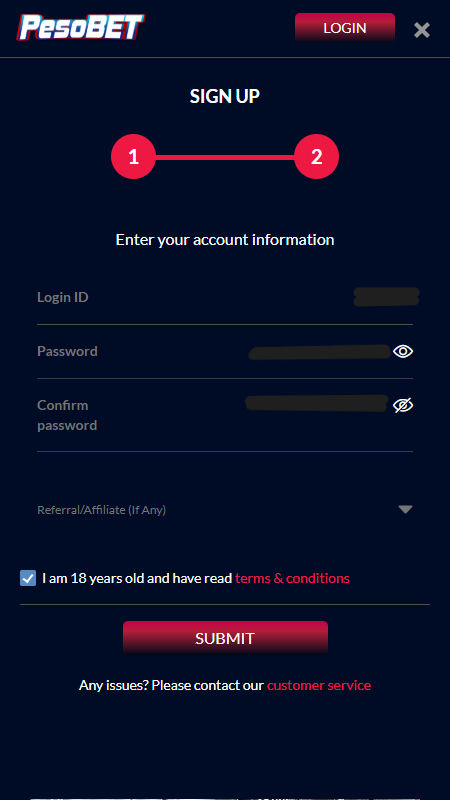
- On the second page, create a Login ID. Next, create a password to use for your account. There’s also an option to enter a referral code, if one is required
- To finalise your account, read and accept the terms and conditions and click on Submit

How to register on the Pesobet mobile app?
To register on the app, you will first need to complete the download process. There are two ways in which you can do this. You can scan the QR code on the desktop site or click the App icon on the mobile version of the Pesobet site. Download the APK and click Open. You’ll then be able to install the application.
Once the app is installed, you can create your account. Follow the steps below to sign up.
- Click the Sign Up icon at the top of the page
- Enter your mobile phone number and click Next
- On the next page, create your Login ID and password. You can also enter a referral code on this page.
- Then, read and accept the terms and conditions and hit Submit
Security and Privacy at Pesobet
Before they can make a deposit or withdrawal, bettors in the Philippines need to verify their account. Doing so is a simple task. To access the verification page, click on the My Account tab.
There isn’t two-factor authentication available on Pesobet. However, this doesn’t mean your account isn’t secure. Via the My Account section, you’ll find the Security Center. Here, you can verify your ID. You will need to enter your full name, your number ID and your date of birth. You will also need to upload a copy of your photo ID.
Additionally, you’ll need to validate the mobile phone number you provided during sign up. Click on Mobile Verification and request a One Time Password to be sent to your device. Enter this code in the field provided to validate your number.
The same is required to verify your email address. Enter your address in the field provided and click on Request OTP. A code will be sent to your email, which you can then enter on the betting site.
When you complete all verification details, your security level increases. Rewards can also be unlocked once you verify your account.
You will also need to verify your account before you can make any deposits or withdrawals.
| Security | Yes/No |
|---|---|
| 🔐 2FA | No |
| 🪪 Name ID Verification | Yes |
| 📱 Mobile number verification | Yes |
| 📧 Email verification | Yes |
